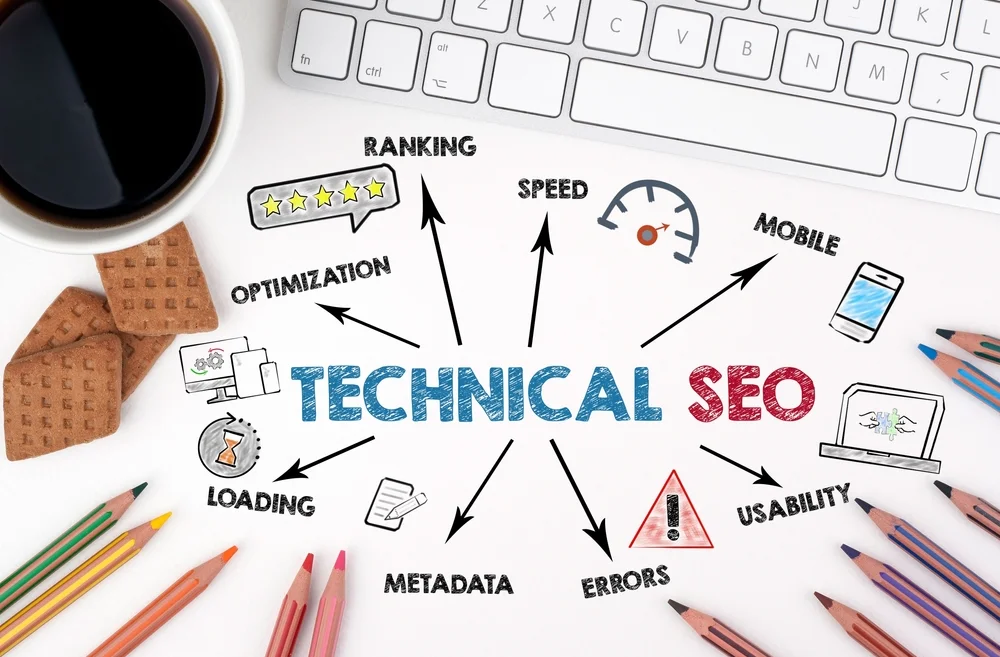
Search engine optimization is no longer limited to adding keywords to pages and waiting for Google to discover them. Technical SEO determines whether search engines can crawl, understand, index, and properly interpret your Website in the first place.
A technically strong Website also provides a better experience for visitors. Fast loading times, mobile usability, secure connections, logical navigation, clean URLs, and accessible content all contribute to a stronger digital foundation.
Google’s search systems have also become considerably more sophisticated. Search engines can understand relationships between pages, interpret structured data, evaluate page experience, and select canonical versions of similar URLs. Technical SEO therefore requires ongoing attention rather than a one-time checklist. Google Search Central – Canonicalization
Here is a practical technical SEO checklist to help identify problems and create a stronger foundation for organic visibility.
1. Make Sure Search Engines Can Crawl Your Website
Before a page can appear in search results, search engines need to be able to access it.
Start by checking your Website’s crawling configuration.
Look at:
- Robots.txt: Make sure important pages and resources are not accidentally blocked.
- Internal links: Important pages should be reachable through clear, crawlable links.
- Navigation: Your Website should have a logical structure that helps both users and search engines discover content.
- Server responses: Pages should return the correct HTTP status codes rather than unnecessary errors or redirects.
- Crawlable resources: Google needs access to important CSS, JavaScript, images, and other resources required to understand and render your pages.
A robots.txt file can control which areas of a Website crawlers may access, but it should not be used as a substitute for proper indexing controls. Google Search Central – Robots.txt
2. Check Indexing and Search Visibility
Being crawlable does not automatically mean that a page will be indexed.
Use Google Search Console to investigate which pages Google has discovered, indexed, excluded, or identified with technical problems.
Check whether:
- Important pages are indexed.
- Valuable pages are not accidentally marked noindex.
- Canonical tags point to the intended URLs.
- Redirects lead to the correct destinations.
- Error pages are handled properly.
- Important content is accessible without unnecessary technical barriers.
Google may choose a different canonical URL from the one specified by a Website owner, so canonical tags should be treated as an important signal rather than an absolute command. Google Search Central – Canonicalization
3. Keep Your XML Sitemap Clean
An XML sitemap helps search engines discover the URLs you consider important.
Your sitemap should contain canonical, indexable URLs that you actually want appearing in search results.
Avoid filling the sitemap with:
- Redirected URLs
- Broken URLs
- URLs blocked from indexing
- Duplicate versions of pages
- Irrelevant or obsolete pages
A sitemap is not a guarantee that every URL will rank or even be indexed, but it provides search engines with useful information about the structure and important content of your Website.
4. Eliminate Duplicate and Conflicting URLs
Duplicate content can create unnecessary confusion for both search engines and users.
The same content may sometimes be accessible through multiple URLs because of:
- HTTP and HTTPS versions
- URL parameters
- Tracking parameters
- Product filters
- Sorting functions
- Multiple URL paths
- Regional or language variations
- Trailing-slash inconsistencies
Use redirects, canonical tags, internal linking, and appropriate site architecture to make your preferred URLs clear.
Do not create multiple nearly identical pages simply to target slightly different keyword variations. Search engines increasingly evaluate the usefulness and uniqueness of pages rather than rewarding websites for producing large numbers of superficially different URLs.
5. Review Your Website’s Page Experience
Technical SEO and user experience are closely connected.
A technically accessible page that takes too long to load or performs poorly on mobile can still provide a frustrating experience.
Pay particular attention to Core Web Vitals, Google’s measurements covering loading performance, responsiveness, and visual stability.
Key areas include:
- Largest Contentful Paint (LCP): How quickly the main content becomes visible.
- Interaction to Next Paint (INP): How responsive the page is to user interactions.
- Cumulative Layout Shift (CLS): How stable the page remains while loading.
Do not optimize these measurements in isolation. A fast Website still needs useful content, clear navigation, accessible design, and a strong overall user experience.
6. Make Mobile Usability a Priority
Mobile optimization is no longer an optional enhancement.
Your Website should work properly across smartphones and tablets, with content and functionality that remain available regardless of screen size.
Check:
- Text readability
- Button and link usability
- Navigation
- Forms
- Images
- Menus
- Product pages
- Checkout processes
- Page loading performance
A responsive design should not hide important content from mobile visitors simply because the screen is smaller.
7. Use HTTPS and Resolve Security Problems
A secure Website should use HTTPS consistently.
Check that:
- HTTPS is enabled across the entire Website.
- HTTP URLs redirect correctly to HTTPS.
- Internal links use HTTPS.
- Images and scripts are loaded securely.
- There are no unnecessary mixed-content warnings.
- Security certificates are valid.
Website security is not only a technical concern. Visitors are less likely to trust a Website that produces browser security warnings or behaves inconsistently.
8. Optimize Titles, Headings, and Metadata
Technical SEO does not mean ignoring the content that search engines and users actually see.
Every important page should have a clear:
- Title tag
- Meta description
- H1 heading
- Logical H2 and H3 structure
- Descriptive URL
- Relevant internal links
Avoid stuffing keywords into titles or headings. Instead, make the subject and purpose of the page immediately clear.
Your title should accurately describe the page, while your meta description should give searchers a compelling reason to visit.
9. Improve Internal Linking
Internal links help users move through your Website, while also helping search engines understand relationships between pages.
A strong internal-linking structure should connect:
- Main service pages
- Supporting articles
- Product pages
- Category pages
- Important commercial landing pages
- Relevant resources
Use descriptive anchor text where appropriate, and avoid creating isolated pages that are difficult to reach through the Website’s normal navigation.
Internal linking is especially important for larger Websites, where valuable pages can otherwise become buried beneath layers of navigation.
10. Fix Broken Links and Redirect Problems
Broken links create unnecessary friction for visitors and can make a Website appear poorly maintained.
Regularly look for:
- 404 errors
- Broken internal links
- Broken external links
- Redirect chains
- Redirect loops
- Links pointing to obsolete URLs
- Internal links using old URL structures
When a page has permanently moved, use an appropriate 301 redirect rather than simply leaving visitors at a dead end.
If your Website has recently undergone a redesign, migration, or URL restructuring, review redirects particularly carefully. Google recommends updating internal links to point directly to the new URLs rather than relying indefinitely on redirects. Google Search Central – Site Moves and Migrations
11. Use Structured Data Where It Makes Sense
Structured data gives search engines additional information about the content of a page.
Depending on the Website, appropriate structured data can describe things such as:
- Products
- Organizations
- Local businesses
- Articles
- Events
- Reviews
- Breadcrumbs
- Other supported content types
However, structured data should accurately represent the visible content on the page. Adding markup does not guarantee enhanced search features, and incorrect or misleading structured data can create problems.
The objective should be better machine-readable understanding, not simply adding as much markup as possible.
12. Monitor Your Technical SEO Continuously
Technical SEO is not a task you complete once and forget.
Websites change constantly. New pages are published, old pages are deleted, plugins are updated, templates are redesigned, URLs change, and tracking systems are modified.
Monitor:
- Organic traffic
- Indexed pages
- Search queries
- Crawl issues
- Core Web Vitals
- Mobile performance
- Broken links
- Redirects
- Sitemap status
- Canonicalization
- Security issues
Google Search Console should be part of your regular SEO workflow because it provides direct information about how Google interacts with your Website.
Technical SEO Creates the Foundation for Rankings
Strong rankings do not come from technical SEO alone. Content quality, relevance, authority, search intent, competition, and many other factors also influence organic visibility.
But even excellent content can struggle if search engines cannot properly crawl, interpret, or index the Website.
That is why technical SEO should be treated as the foundation of your entire search strategy.
Start with the basics. Make your Website crawlable, indexable, secure, mobile-friendly, fast, logically structured, and easy to navigate. Then continue monitoring it as your Website and search environment evolve.
Whether you choose to handle Search Engine Optimization internally or work with an experienced digital marketing agency, a regular technical SEO audit can uncover problems that are otherwise easy to overlook.
A technically healthy Website gives your content a stronger opportunity to be discovered, understood, and ranked.