



The Top 8 CRM Tools to Grow Your Small Business in 2026
Why the Right CRM Matters & How We Selected the Best
For small business owners, every relationship counts. Leads, clients, and repeat customers all drive growth. But without a clear system, important details get lost.
A CRM (Customer Relationship Management) platform helps you stay organised, follow up consistently, and build stronger connections. It is not just software; it is the foundation that keeps your sales and service running smoothly.
Still, choosing the right CRM is not easy. Many tools are built for large companies and are too complex for small teams, while others are too limited to grow with you.
That is why we reviewed dozens of options and selected eight CRMs that strike the right balance of simplicity, integration, and scalability, tools that small businesses can actually use and grow with.
Below, you will find the 8 best CRM platforms of 2026, chosen for how well they combine ease of use, automation.
The 8 Best CRM Tools for Small Businesses (2026 Edition)
| CRM | Best For |
|---|---|
| GoHighLevel | All-in-one marketing + automation for small businesses |
| HubSpot | Growth-minded teams |
| Zoho CRM | Budget-conscious SMBs |
| Freshsales | Small, agile sales teams |
| Keap | Service-based businesses |
| Pipedrive | Sales-driven teams |
| Copper CRM | Google Workspace users |
| Salesforce | SMBs planning to scale long-term |
How to Choose the Right CRM for Your Small Business
Choosing a CRM isn’t about finding the most powerful system; it’s about finding one your team will actually use, that connects smoothly to your tools, and grows with your business.
Here’s what to prioritise before making your decision:
| Ease of Use | Integration |
|---|---|
| A CRM only works if your team enjoys using it. Look for clear interfaces and a quick onboarding process. | Select a platform that integrates with key apps like Gmail, QuickBooks and Shopify to maintain a unified workflow. |
| Automation & Scalability | Value for Money |
| Start simple, but ensure the system supports adding automation, analytics, and AI features as your business grows. | Don’t just look at monthly costs, compare functionality, support, and upgrade flexibility to ensure long-term ROI. |
With those principles in mind, let’s explore which CRM tools deliver the best mix of usability, automation, and scalability to help small businesses grow.
GoHighLevel
Best for: Small businesses that want an all-in-one platform for marketing, sales, and automation.
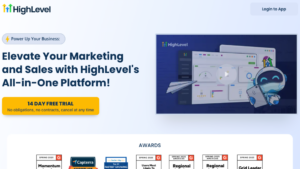
GoHighLevel is one of the most complete all-in-one CRM platforms available for small businesses.
Unlike traditional CRMs that only manage contacts or pipelines, GoHighLevel consolidates CRM + marketing automation + funnels + SMS + bookings + email + reputation management into a single system.
This gives small teams the ability to run lead generation, follow-ups, customer nurturing, and sales, all from one place, without relying on multiple subscriptions or scattered tools.
GoHighLevel’s biggest strength is automation. Its visual workflow builder lets users create follow-up sequences, pipeline actions, email/SMS campaigns, reminders, and nurturing flows that would normally require several separate apps.
Small businesses that need streamlined operations, consistent communication, and fast lead follow-up will find GoHighLevel especially powerful.
| Ease of Use | Integration |
|---|---|
| ✔︎✔︎ | ✔︎✔︎ |
| Automation & Scalability | Value for Money |
| ✔︎✔︎✔︎ | ✔︎✔︎✔︎ |
Pros:
- All-in-one system combining CRM, email, SMS, funnels, and automation
- Powerful workflow builder for follow-ups and nurturing
- Replaces multiple marketing and sales tools, reducing overall cost
- Strong for service businesses and online lead generation
Cons:
- Larger feature set increases learning curve for first-time users
- The interface can feel busy for beginners
- Limited advanced reporting compared to Salesforce or HubSpot
- Some features require initial setup to unlock full potential
HubSpot
Best for: Growth-minded teams that want an all-in-one CRM they can expand over time.
HubSpot CRM is one of the most complete free-to-start platforms available, making it a top choice for small businesses that want power without complexity. It centralises contact management, pipelines, email tracking, meeting scheduling, forms, and live chat, all inside a clean, intuitive interface that non-technical teams can learn quickly.
What sets HubSpot apart is its inherent scalability. You can begin with the free tier, then add advanced sales automation, marketing campaigns, AI tools, and customer service features as your business grows, without switching systems. Its integrations are also best-in-class, syncing seamlessly with Google Workspace, Shopify, Slack, and hundreds of other apps.
This flexibility makes HubSpot ideal for small businesses looking for a platform that’s simple today but powerful enough for future growth.
| Ease of Use | Integration |
|---|---|
| ✔︎✔︎✔︎ | ✔︎✔︎✔︎ |
| Automation & Scalability | Value for Money |
| ✔︎✔︎✔︎ | ✔︎✔︎ |
Pros:
- Intuitive interface and quick setup
- Comprehensive free plan with strong core tools
- Deep integration with Google Workspace, Slack, and Shopify
- Scales easily into full marketing and service hubs
Cons:
- Paid upgrades can get expensive as you add users
- Some advanced features are locked behind higher tiers
- Automation setup can feel complex for beginners
- Reporting dashboards require customisation
Zoho
Best for: Budget-conscious SMBs that want automation and AI without enterprise pricing.
Zoho CRM is known for offering enterprise-grade automation and customisation at a price small businesses can afford. It includes lead scoring, workflow automation, multi-channel communication (email, social, phone), and the AI assistant “Zia,” which helps analyse trends and suggest actions.
Its flexible customisation options, custom modules, pipeline layouts, dashboards, and fields allow small businesses to tailor the CRM to their sales process rather than adapting to rigid templates. Zoho’s integration ecosystem also extends into accounting, HR, marketing, and project tools via the broader Zoho suite.
For small businesses that want automation, intelligence, and customisation without the cost of larger platforms, Zoho is one of the strongest candidates.
| Ease of Use | Integration |
|---|---|
| ✔︎✔︎ | ✔︎✔︎ |
| Automation & Scalability | Value for Money |
| ✔︎✔︎✔︎ | ✔︎✔︎✔︎ |
Pros:
- Highly affordable across all pricing tiers
- Strong automation and workflow tools
- AI insights via “Zia” for smarter lead scoring
- Extensive customisation options
Cons:
- Interface feels dated compared with competitors
- Occasional learning curve for setup
- Limited phone support on lower plans
- Integration depth varies across apps
Freshsales
Best for: Small, agile sales teams needing a CRM that’s easy to use and quick to deploy.
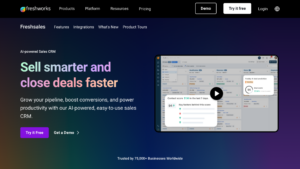
Freshsales is built for teams that need a fast, modern, sales-first CRM. The platform offers built-in phone dialers, SMS, live chat, AI lead scoring, and strong pipeline management. Everything is designed to reduce the number of tools your sales team needs to juggle.
Its interface is clean and fast, with guided workflows that help new users get productive within hours, not weeks. Freddy AI (Freshworks’ automation engine) helps prioritise leads, recommend next steps, and forecast revenue with greater accuracy.
Freshsales is ideal for small businesses that want an intuitive CRM that combines communication, automation, and pipeline visibility in one place.
| Ease of Use | Integration |
|---|---|
| ✔︎✔︎✔︎ | ✔︎✔︎ |
| Automation & Scalability | Value for Money |
| ✔︎✔︎ | ✔︎✔︎✔︎ |
Pros:
- Very intuitive and beginner-friendly UI
- Built-in telephony and email tracking
- Fast setup with strong onboarding tools
- Affordable pricing for the feature set
Cons:
- Limited customisation compared to Zoho or Salesforce
- Reporting can feel basic for complex pipelines
- Integrations are fewer than larger CRMs
- Some advanced automations require higher tiers
Keap
Best for: Coaches, consultants, and service-based SMBs wanting a single system for sales, marketing, and billing.
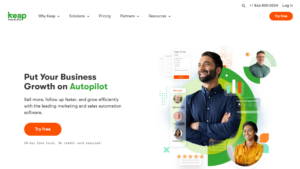
Keap (formerly Infusionsoft) is built for service-based businesses that need CRM + automation + payments all in one platform. It includes invoicing, appointment booking, quotes, advanced email automation, and text campaigns, making it especially useful for coaches, consultants, freelancers, and home-service providers.
Keap’s standout feature is its visual automation builder, which lets you create follow-up sequences, nurture flows, and client onboarding journeys with minimal technical experience. It also connects deeply with payment tools like Stripe and PayPal, enabling automated billing and reminders.
If your business relies heavily on follow-ups, repeat clients, or service workflows, Keap offers one of the strongest all-in-one ecosystems.
| Ease of Use | Integration |
|---|---|
| ✔︎✔︎ | ✔︎✔︎ |
| Automation & Scalability | Value for Money |
| ✔︎✔︎✔︎ | ✔︎✔︎ |
Pros:
- Powerful built-in automation for email and workflows
- Includes invoicing and payment integration
- Great for service providers and solopreneurs
- Scales well as the business grows
Cons:
- Steeper learning curve for beginners
- The interface can feel cluttered at first
- Fewer third-party integrations than HubSpot
- Higher entry price than other SMB CRM customisation
Pipedrive
Best for: Sales-focused teams needing a clean, visual CRM to manage pipelines efficiently.
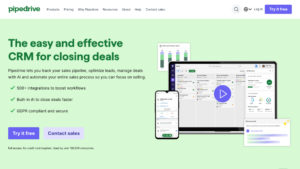
Pipedrive is designed around one idea: keep deals moving. Its drag-and-drop pipeline board is one of the simplest and clearest on the market, making it perfect for teams that want an easy onboarding experience and a visual overview of where every opportunity stands.
Features like one-click emails, automated follow-ups, activity reminders, and goal tracking help keep sales reps focused on closing, not admin work. The interface is minimal and distraction-free, which makes it especially friendly for teams that are new to CRM systems.
Pipedrive is best for small businesses that want a fast, clean, sales-only CRM with a laser focus on pipelines and day-to-day deal management.
| Ease of Use | Integration |
|---|---|
| ✔︎✔︎✔︎ | ✔︎✔︎ |
| Automation & Scalability | Value for Money |
| ✔︎ | ✔︎✔︎✔︎ |
Pros:
- Extremely scalable and future-proof
- Deep reporting and analytics
- Robust automation tools
- Strong ecosystem of integrations and add-ons
Copper CRM
Best for: Teams fully using Google Workspace who want a lightweight, integrated CRM experience.
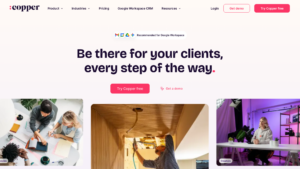
Copper CRM is the top choice for businesses that operate primarily inside Google Workspace. It lives directly inside Gmail and Google Calendar, automatically pulling contact information, email threads, and meeting activity into your CRM without the need for manual data entry.
Its interface looks and feels like Google apps, which dramatically reduces onboarding time. Automation features help assign leads, move deals through pipelines, and trigger follow-ups based on email activity.
For small teams that live in Gmail all day and want a low-maintenance, zero-friction CRM, Copper is unbeatable.
| Ease of Use | Integration |
|---|---|
| ✔︎✔︎✔︎ | ✔︎✔︎✔︎ |
| Automation & Scalability | Value for Money |
| ✔︎✔︎ | ✔︎✔︎ |
Pros:
- Works directly inside Gmail and Google Calendar
- Requires almost no onboarding time
- Clean, modern UI with quick adoption
- Strong automation for G Suite workflows
Cons:
- Limited customisation options
- Lacks deep marketing automation
- Reporting tools are basic
- Slightly expensive for its simplicity
Salesforce Essentials
Best for: Ambitious small businesses planning to scale and need long-term flexibility.
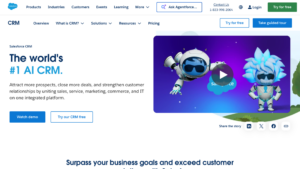
Salesforce Essentials is the small-business edition of the world’s most powerful CRM. While simpler than the enterprise version, it still includes advanced reporting, automation, custom dashboards, and deep customisation via fields, objects, workflows, and integrations.
Its strength is scalability: as your business grows, you can expand into the full Salesforce ecosystem, including advanced automation, AI forecasting, partner management, and complex sales structures. Essentials is designed for teams that want long-term infrastructure, not just a lightweight CRM.
It’s a strong fit for SMBs planning significant growth and needing superior analytics and customisation.
| Ease of Use | Integration |
|---|---|
| ✔︎ | ✔︎✔︎ |
| Automation & Scalability | Value for Money |
| ✔︎✔︎✔︎ | ✔︎ |
Pros:
- Extremely scalable and future-proof
- Deep reporting and analytics
- Robust automation tools
- Strong ecosystem of integrations and add-ons
Cons:
- Steep learning curve for new users
- Requires setup time and admin knowledge
- Overkill for very small teams
- Costs increase quickly with add-ons
CRM Highlights by Business Type
No two small businesses operate the same way, and the right CRM depends on how your team sells, communicates, and manages daily operations.
Here’s the updated quick-match guide based on the latest tools in your list:
Service-Based Businesses
consultants, agencies, home services
GoHighLevel, Keap, Zoho CRM
Best for automation-heavy workflows, appointment scheduling, invoicing, and long-term client nurturing. These platforms shine when your business needs follow-up sequences, pipelines, and service delivery tools all in one system.
Sales-Focused Teams
B2B sales, outbound, reps on the move
Pipedrive, Freshsales
Ideal for teams needing visual pipelines, lead scoring, built-in calling, and fast daily operations.
These CRMs prioritise clarity, speed, and consistent deal movement.
Online / Marketing-Driven Businesses
funnels, digital products, campaigns
GoHighLevel, HubSpot
Strong at automation, funnel building, landing pages, email marketing, and campaign optimisation.
If your growth relies on digital journeys or lead nurture funnels, these tools are best suited.
Google Centric Teams
Companies that work inside Gmail/Calendar all day
Copper CRM
Designed for companies fully embedded in Google Workspace.
Perfect for teams wanting the simplest possible CRM setup with native Gmail and Calendar syncing.
Enterprise-Grade Operations
scalable teams, multi-department workflows, advanced reporting
Best suited for organisations that need deep customisation, complex sales processes, role-based permissions, and integrations across multiple departments. Salesforce excels when your team requires robust analytics, cross-team collaboration, API-level integrations, and the ability to scale processes as the business grows.
Ideal for companies preparing for rapid expansion or needing a single source of truth across sales, service, and marketing.
Start Simple, Grow Strategically
When it comes to CRM adoption, simplicity almost always wins. Rather than overbuying or overbuilding, start with a system your team can confidently use every day. As your business expands, integrate essential tools early, automate repetitive processes, and then layer on more capabilities as needed.
For many small businesses, especially those driven by service delivery, bookings, follow-ups, and consistent client communication, GoHighLevel stands out as one of the most complete and scalable ecosystems available. It unifies CRM, marketing tools, pipelines, SMS, email, funnels, and automated workflows in a single platform, making it an ideal foundation for businesses looking to streamline operations, drive more traffic, and increase revenue over time.
Ready to Scale Your Business?
Still unsure which one fits best for your team?
We offer a free 30-minute consultation to help you understand your needs and determine the most effective direction for your business.
If you’re ready to scale your business with the right CRM, click Book a Free Consultation.
About MRKT360
MRKT360 is a results-driven digital marketing and solutions agency offering end-to-end services in performance marketing, AI strategy, SEO, GEO, paid media, and IT optimisation.
With clients around the world, MRKT360 specialises in future-proofing brands through innovative solutions that align marketing and infrastructure.